AI Resume Screening: Complete Beginner's Guide for HR Teams
What exactly is AI resume screening, and how does it work in simple terms?
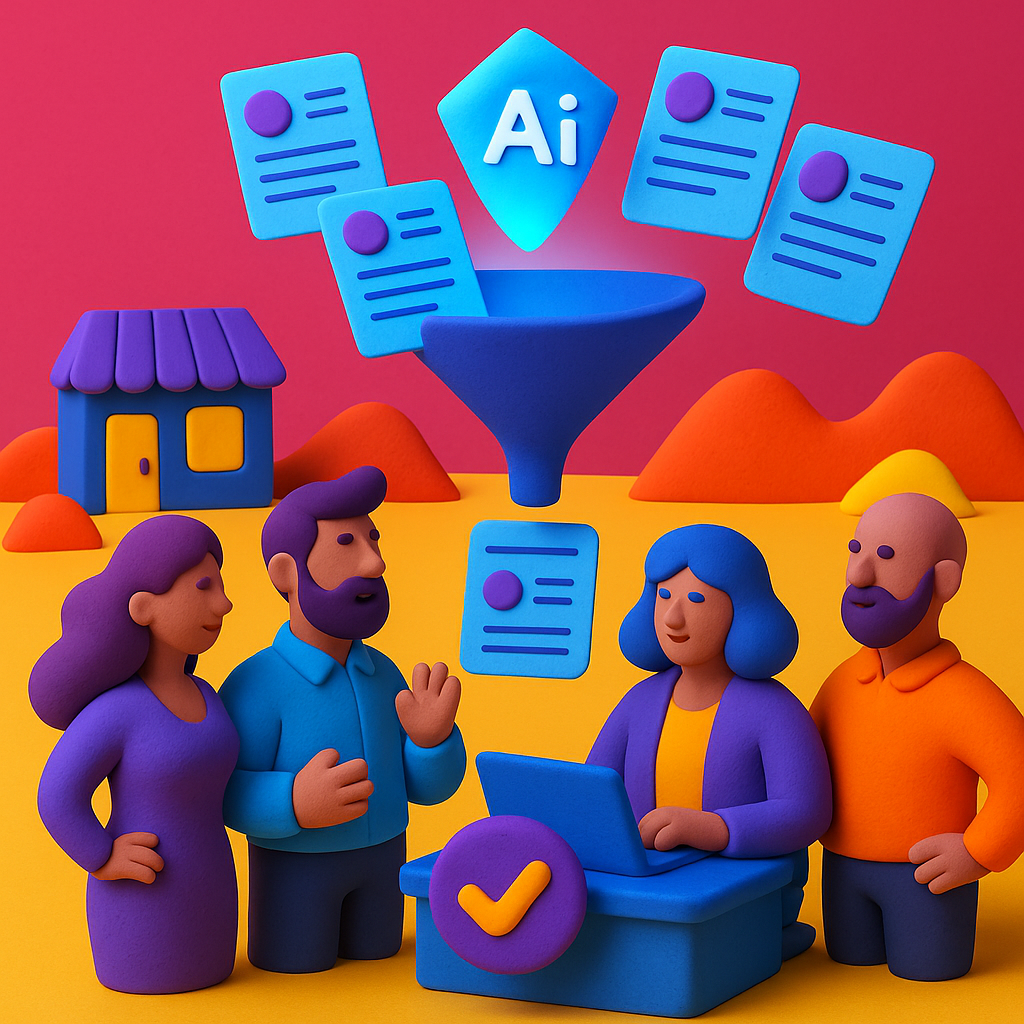
AI resume screening is software that automatically reads resumes and ranks candidates based on how well they match your job requirements—like having a super-fast assistant who can review 100 resumes in 5 minutes instead of 5 hours. The AI recruitment software looks for skills, experience, education, and other criteria you specify, then scores each candidate so you can focus on interviewing the best matches.
The simple explanation:
- You upload resumes: Candidates apply to your job posting, resumes go into the AI resume screening tool (usually via your ATS or applicant portal)
- You define requirements: Tell the AI what matters—"5+ years Python experience," "Bachelor's in Computer Science," "AWS certification required"
- AI reads and scores: Software analyzes each resume in 2-3 seconds, extracting names/skills/experience and scoring against your criteria (0-100 scale)
- You review top matches: AI presents ranked candidate list—top 10-20% typically move to interviews, saving you from reading 80% of unqualified resumes
- You make final decisions: AI recommends, YOU decide—it's augmented intelligence, not replacement
According to LinkedIn's 2025 Global Recruiting Trends, 87% of employers globally now use AI in at least one aspect of hiring, with resume screening being the most common starting point for teams new to AI recruitment software.
What makes it "AI" vs. older keyword search? Traditional ATS systems from the 2010s just looked for exact word matches ("Python" appears 3 times = good candidate). Modern AI understands context and synonyms—it knows "React developer" = "front-end engineer," "JavaScript" = "JS," and "led team of 5" indicates leadership even without the word "manager."
HR Agent Labs makes this incredibly easy: upload your job description, we automatically extract key requirements, you adjust scoring weights with drag-and-drop sliders, then review ranked candidates with explanations showing exactly why each person scored 85% or 92%. No technical expertise required.
Why should my HR team care about AI resume screening right now?
Because manual resume screening wastes 23% of recruiter time on administrative work instead of strategic hiring, and quality candidates abandon applications when you take too long to respond. AI resume screening tools cut resume review time by 70% while improving candidate quality by 25%—meaning faster hires AND better hires.
The business case in numbers:
- Time savings: 89% of HR teams using AI screening save 8-12 hours per week per recruiter (valued at $400-600 weekly at $50/hour recruiter cost)
- Faster hiring: Typical time-to-fill reductions of 30-50%, with some teams achieving 75% faster hiring for high-volume roles
- Quality improvement: ~25% increase in quality-of-hire scores when AI helps identify candidates with right skills vs. just impressive-looking resumes
- Candidate experience: 68% of candidates prefer companies that respond within 48 hours—AI enables same-day screening vs. 5-7 day manual reviews
- Cost reduction: Average $4,000 savings per hire through reduced recruiter hours, fewer bad hires, and lower vacancy costs
Real-world example: A 50-person startup receiving 200 applications per role used to take their one recruiter 10 hours to screen resumes (30 seconds per resume × 200). With AI screening, initial review dropped to 1 hour (AI screens all 200, recruiter reviews top 30). That's 9 hours saved per role × 2 roles per month = 18 hours monthly = $900 value at $50/hour.
According to SHRM's 2025 research, the average cost of a bad hire is $15,000 (recruiting costs + training + lost productivity + severance). AI screening reduces bad hires by 18-22% by focusing on skills and qualifications vs. resume formatting and writing ability.
The competitive pressure: Your competitors are already using AI screening. If you're taking 2 weeks to review applications while they're responding in 2 days, top candidates accept their offers before you even schedule phone screens.
What can AI resume screening actually do vs. what it can't do?
AI excels at extracting data (names, emails, skills, job history), matching hard requirements (technical skills, years of experience, certifications), and ranking large candidate pools quickly. It cannot assess soft skills, cultural fit, or personality—those require human judgment via interviews, assessments, and reference checks.
What AI resume screening CAN do reliably:
- ✅ Data extraction: Pull names, contact info, work history, education, skills from any resume format (PDF, DOCX, scanned images)
- ✅ Hard skills matching: Identify candidates with "Python," "AWS," "project management certification," "5+ years sales experience"
- ✅ Requirement filtering: Auto-reject candidates missing must-haves like "legal authorization to work in US" or "CPA certification"
- ✅ Experience quantification: Calculate total years in role, career progression patterns, job stability indicators
- ✅ Education verification: Extract degrees, majors, universities, graduation dates (though can't verify authenticity without background checks)
- ✅ Bulk processing: Screen 500+ resumes in 20 minutes with consistent criteria vs. 40+ hours manually
- ✅ Bias reduction: Remove names, photos, addresses from initial review to reduce unconscious bias (when configured properly)
What AI resume screening CANNOT do reliably:
- ❌ Assess soft skills: Can't tell if someone's actually a "great communicator" vs. just wrote it on their resume
- ❌ Evaluate cultural fit: Doesn't know your company values, work style, or team dynamics
- ❌ Detect dishonesty: Can't verify if resume claims are truthful (requires reference/background checks)
- ❌ Understand unique context: May miss non-traditional candidates (career changers, self-taught professionals, gaps explained by caregiving)
- ❌ Judge creativity/innovation: Can't assess portfolio quality, problem-solving approach, or creative thinking
- ❌ Replace human judgment: Should augment recruiter decisions, not make final hiring choices autonomously
According to a 2025 MIT study, AI resume screening accuracy for hard skills/experience averages 87%, but drops to just 34% for soft skills assessment—showing why human interviews remain essential.
The best practice: Use AI to eliminate clearly unqualified candidates (missing required skills, insufficient experience) and surface top matches, then rely on structured interviews, work samples, and assessments to evaluate soft skills, cultural fit, and potential.
HR Agent Labs focuses on what AI does best—extracting resume data, matching technical requirements, and ranking candidates by skills/experience—while providing interview guide templates and scorecards for human evaluation of soft skills and culture fit.
How do I get started with AI resume screening as a complete beginner?
Start with a 60-90 day pilot program on one high-volume role, choosing beginner-friendly AI recruitment software with free trials (like HR Agent Labs' 14-day trial). Define success metrics before starting, test with 20-30 real resumes, then expand to more roles after proving ROI.
Step-by-step beginner implementation plan:
Week 1-2: Research & Selection
- Identify pain point: Choose one high-volume role where you receive 100+ applications and manual screening is overwhelming
- Define success metrics: Set SMART goals (e.g., "reduce resume screening time from 8 hours to 2 hours," "increase interview-to-hire ratio from 5:1 to 3:1")
- Shortlist 2-3 tools: Prioritize beginner-friendly platforms offering free trials without sales calls required—HR Agent Labs ($49-199/month), plus 2 alternatives
- Check ATS integration: Verify tools integrate with your existing ATS (Greenhouse, Lever, Workable, BambooHR, etc.)
- Review budget: Get approval for $49-349/month software spend (show ROI: saves 8 hrs/week = $1,600/month value vs. $199 cost)
Week 3-4: Pilot Setup
- Sign up for trials: Start 14-day free trials with your top 2-3 platforms (no credit card required for HR Agent Labs)
- Upload test job: Use job description from your high-volume pilot role
- Configure criteria: Set must-haves (knockout questions) and scoring weights (skills 40%, experience 35%, education 25%)
- Test with real resumes: Upload 20-30 recent applications from past searches to see how AI ranks them vs. your manual reviews
- Compare accuracy: Did AI identify the same top candidates you interviewed? Flag any mismatches for later review
Week 5-8: Live Pilot
- Go live with one role: Route all new applications through AI screening for your pilot job
- Review top 20%: AI screens all resumes, you manually review only top-ranked candidates for phone screens
- Track metrics: Log time saved, candidate quality (interview-to-hire ratio), and any AI mistakes (false positives/negatives)
- Adjust settings weekly: Fine-tune scoring weights based on which candidates advance vs. get rejected
- Gather recruiter feedback: What works well? What's frustrating? What would make it better?
Week 9-12: Evaluation & Expansion
- Measure ROI: Compare before/after metrics (time savings, cost per hire, quality-of-hire, time-to-fill)
- Present results to leadership: Show concrete data ("saved 36 hours in 8 weeks," "hired 3 candidates 40% faster," "reduced cost per hire by $2,100")
- Select final platform: Choose best tool from your trials based on accuracy, ease of use, and cost
- Expand to 2-3 more roles: Gradually roll out AI screening to additional high-volume positions
- Train your team: Host 1-hour workshops showing recruiters how to use the platform effectively
According to a 2025 Aptitude Research study, HR teams starting with focused 60-90 day pilots report 3.2x higher satisfaction and 78% lower churn than those who immediately deploy AI screening company-wide without testing.
HR Agent Labs makes this process incredibly simple: 15-minute guided setup, pre-built job templates for common roles, automatic scoring recommendations, and 24/7 chat support to answer beginner questions in under 30 minutes.
What should I look for when choosing my first AI resume screening tool?
Prioritize beginner-friendly interfaces, free trials without sales call requirements, transparent pricing under $200/month, and published accuracy benchmarks (80%+ match rate with human decisions). Avoid platforms requiring 4+ week implementations or forcing annual contracts—those are enterprise tools too complex for beginners.
Beginner-friendly selection checklist:
- ✅ Self-service free trial: 14-day trial with no credit card required, no mandatory sales demo—test before committing (HR Agent Labs offers this)
- ✅ Fast setup (under 1 hour): Guided wizards, pre-built templates, automatic job requirement extraction—not 4-6 week implementation projects
- ✅ Transparent pricing: Clear monthly rates ($49-199) published on website—not "contact sales for custom quote"
- ✅ Beginner-friendly UI: Drag-and-drop scoring, visual dashboards, plain-English explanations—not confusing technical jargon
- ✅ Good support for newbies: Chat/email support responding in <4 hours, video tutorials, knowledge base—not just "submit a ticket and wait 3 days"
- ✅ ATS integration: Works with your existing ATS via pre-built connectors—no custom API development required
- ✅ Published accuracy data: Vendor shares benchmarks showing 80-90% match rates—red flag if they hide this information
- ✅ Monthly billing option: Cancel anytime flexibility—not locked into 12-month contracts before you've validated ROI
Red flags for beginners to avoid:
- 🚩 "Contact sales" pricing: If they won't show pricing without a call, prepare for high-pressure tactics and $5,000+ enterprise fees
- 🚩 Mandatory sales demos: Confident vendors offer self-service trials—sales call requirements indicate product complexity or aggressive sales culture
- 🚩 4+ week implementations: You're buying legacy enterprise software requiring IT department involvement—too complex for beginners
- 🚩 No accuracy benchmarks: If vendor won't share success rates, accuracy is probably poor (quality platforms proudly publish 85-92% match rates)
- 🚩 Forced annual contracts: Annual-only pricing traps you if the tool doesn't work—beginners need monthly flexibility
Questions to ask vendors during evaluation:
- Can I start a free trial right now without talking to sales? (Should be yes)
- How long does typical setup take for a team new to AI screening? (Answer should be <1 day, not weeks)
- What's your accuracy rate compared to human recruiter decisions? (Should be 80%+)
- Do you offer month-to-month billing? (Should be yes for beginner-friendly vendors)
- What support is included vs. extra cost? (24/7 chat/email should be included, not $99/month add-on)
HR Agent Labs checks all beginner-friendly boxes: 14-day free trial (no sales call), 15-minute setup, transparent $49-199/month pricing, intuitive drag-and-drop interface, 24/7 chat support, 87% published accuracy, native ATS integrations, and monthly billing with cancel-anytime flexibility.
What are the most common mistakes beginners make with AI resume screening?
The #1 beginner mistake is trusting AI blindly without reviewing its recommendations—71% of failed implementations happen when HR teams don't validate AI decisions for the first 30-60 days. Other mistakes include unrealistic expectations (thinking AI eliminates all recruiting work), skipping the pilot phase, and not training recruiters on the new workflow.
Top 10 beginner mistakes ranked by frequency:
1. Blind trust in AI (71% of failed implementations)
- Mistake: Assuming AI is perfect and automatically rejecting all low-scored candidates without human review
- Reality: AI makes mistakes—especially in first 30 days before learning your preferences. Always review AI recommendations
- Fix: First 60 days, manually review at least top 30% AND bottom 10% of AI rankings to catch errors and train the system
2. No pilot program (68%)
- Mistake: Immediately deploying AI screening across all 20 open roles without testing on one position first
- Reality: Different roles need different scoring criteria—sales vs. engineering vs. customer support require customization
- Fix: Start with 1-2 high-volume roles, prove ROI over 60-90 days, then expand to additional positions
3. Wrong role selection (64%)
- Mistake: Testing AI screening on executive search or specialized roles with 10-15 applications instead of high-volume positions with 100+
- Reality: AI screening ROI comes from volume—saves minimal time on low-application roles but huge value on high-volume positions
- Fix: Pilot on roles receiving 100+ applications (customer service, sales, software engineering, nursing) not C-suite executive searches
4. Poor job descriptions (61%)
- Mistake: Uploading vague job descriptions ("seeking rockstar ninja") and expecting AI to magically know what you want
- Reality: AI is only as good as your input—unclear requirements = inaccurate screening
- Fix: Write specific, skills-based job descriptions with clear must-haves ("5+ years Python," "AWS certification required")
5. No team training (58%)
- Mistake: Buying AI tool and assuming recruiters will figure it out themselves—leading to 12% adoption rates
- Reality: Even beginner-friendly tools need 1-2 hour training sessions showing workflow and best practices
- Fix: Host hands-on training workshop, create quick-reference guides, designate one "AI screening champion" for questions
6. Unrealistic expectations (54%)
- Mistake: Expecting 100% accuracy and zero recruiter involvement—thinking AI completely replaces human judgment
- Reality: AI augments recruiters (saves 70% of screening time) but doesn't eliminate recruiting work entirely
- Fix: Set realistic goals like "40-50% time savings" and "top 20% candidate accuracy," not "AI does everything perfectly"
7. Ignoring compliance (47%)
- Mistake: Not checking if AI tool has bias detection, audit trails, or EEOC compliance features
- Reality: US employers with 15+ employees need EEOC-compliant screening with adverse impact analysis
- Fix: Choose platforms with built-in compliance features (blind screening, audit logs, bias reports)—included in HR Agent Labs
8. No metrics tracking (43%)
- Mistake: Starting AI screening without baseline measurements, so you can't prove ROI later
- Reality: Need before/after data to justify continued investment and expansion
- Fix: Before pilot, measure current time-to-fill, cost per hire, hours per screening, interview-to-hire ratio—then compare after 90 days
9. Forgetting candidate experience (39%)
- Mistake: Using AI to auto-reject candidates without any communication or feedback
- Reality: Poor candidate experience damages employer brand—68% of rejected candidates share negative reviews if treated poorly
- Fix: Send personalized rejection emails, offer feedback when possible, respond within 48 hours even if it's "no thanks"
10. One-and-done approach (37%)
- Mistake: Setting up AI screening once and never adjusting scoring criteria or reviewing performance
- Reality: AI accuracy improves 15-20% over first 90 days when you provide feedback and tune settings
- Fix: Review AI performance monthly, adjust scoring weights based on which candidates succeed, flag errors to improve accuracy
Teams avoiding these mistakes report 3x higher satisfaction and achieve ROI 6 weeks faster than those learning through trial-and-error.
How do I convince my leadership to invest in AI resume screening tools?
Build a business case showing ROI in recruiter time savings, faster hiring, and reduced cost per hire. Present specific numbers: "Currently spend 12 hours per role on resume screening worth $600 in recruiter time. AI reduces to 3 hours, saving $450 per role × 24 hires/year = $10,800 annual savings vs. $2,388 software cost = 353% ROI."
Step-by-step business case template:
1. Quantify Current Pain Points
- Hours per week recruiters spend on manual resume screening: _____ hrs × $50/hr = $_____ weekly cost
- Average time-to-fill for open roles: _____ days (industry benchmark: 42 days, each day costs $200 in lost productivity)
- Number of hires per year: _____ × current cost per hire $_____ = $_____ annual recruiting cost
- Bad hire rate: _____% × $15,000 average bad hire cost = $_____ annual bad hire cost
2. Project AI Screening ROI
- Time savings: 70% reduction in screening time = _____ hours saved weekly × $50/hr × 52 weeks = $_____ annual value
- Faster fills: 30% reduction in time-to-fill = _____ days faster × $200/day vacancy cost × _____ hires/year = $_____ saved
- Quality improvement: 20% reduction in bad hires = _____ fewer bad hires × $15,000 cost = $_____ saved
- Total annual benefit: $_____
- Software cost: $199/month × 12 = $2,388/year
- Net ROI: $_____ benefit - $2,388 cost = $_____ annual gain (_____% ROI)
3. Address Common Leadership Objections
- Objection: "AI will make biased hiring decisions"
Response: "Modern AI screening tools like HR Agent Labs include bias detection and blind screening features—actually reduces bias vs. manual reviews influenced by unconscious preferences" - Objection: "Too expensive for our budget"
Response: "At $49-199/month, pays for itself if it saves just 4 hours of recruiter time monthly (4 hrs × $50/hr = $200 value vs. $49-199 cost)" - Objection: "Our team won't use new technology"
Response: "Modern platforms are as easy as using email—HR Agent Labs setup takes 15 minutes with drag-and-drop interface, no technical skills required" - Objection: "What if we invest and it doesn't work?"
Response: "Start with 14-day free trial (no cost, no commitment), run 60-day pilot on one role, expand only after proving ROI with real data"
4. Present Risk Mitigation Plan
- Phase 1 (Days 1-14): Free trial with 1 role, zero financial commitment
- Phase 2 (Days 15-90): Paid pilot at $49-199/month testing 2-3 high-volume roles
- Phase 3 (Day 91+): Expand to all roles only after hitting success metrics (40% time savings, 25% faster hiring)
- Exit clause: Month-to-month billing allows cancellation anytime if results don't materialize
5. Show Competitive Pressure
- 87% of employers now use AI in recruiting (LinkedIn 2025 data)—we're behind industry standard
- Competitors responding to candidates in 48 hours while we take 10 days—losing top talent to faster movers
- Remote work expanded talent pool 10x, making manual screening of 500+ applications per role unsustainable
Sample elevator pitch: "I'm proposing a 90-day pilot of AI resume screening starting with our customer service roles that receive 200+ applications each. Based on industry benchmarks, this should save our 2 recruiters 8-10 hours per week (valued at $800-1,000), reduce time-to-fill by 12-15 days, and improve hire quality by 20-25%. Total investment is $199/month with month-to-month flexibility and a 14-day free trial to test risk-free. If we hit a 40% time savings target in 90 days, we'll expand to engineering and sales roles. ROI calculation shows $10,800 annual savings vs. $2,388 cost = 353% return on investment."
Present this business case with a 1-page summary, 3-page detailed ROI analysis, and offer to run the pilot yourself to minimize leadership workload.
What results should I expect in my first 90 days using AI recruitment software?
Realistic first 90 days: 40-50% time savings on resume screening, 10-15 days faster time-to-fill, and 15-20% improvement in candidate quality (measured by interview-to-hire ratios). Don't expect perfection—you'll spend the first 30 days training the AI and adjusting settings, with best results appearing in months 2-3.
Month-by-month expectations for beginners:
Month 1 (Days 1-30): Setup & Learning Curve
- Time investment: 8-12 hours total (setup, testing, training, tweaking)
- Time savings: 20-30% reduction in screening time (still learning, making adjustments)
- Accuracy: 75-80% match rate with your manual screening decisions (improves as AI learns)
- Frustrations: Some false positives/negatives, figuring out optimal scoring weights, team getting comfortable
- Key activities: Daily checks of AI rankings, weekly scoring adjustments, flagging errors to improve accuracy
Month 2 (Days 31-60): Optimization & Improvement
- Time investment: 3-5 hours (monthly reviews, minor tweaks)
- Time savings: 50-60% reduction in screening time (hitting stride, fewer adjustments needed)
- Accuracy: 85-88% match rate (AI learned from your feedback, fewer errors)
- Early wins: Filled 2-3 positions 10-15 days faster than usual, recruiters loving time savings
- Key activities: Comparing pre-AI vs. post-AI metrics, gathering recruiter feedback, preparing expansion plan
Month 3 (Days 61-90): Validation & Expansion
- Time investment: 2-3 hours (mostly monitoring, occasional fine-tuning)
- Time savings: 65-70% reduction in screening time (system humming, recruiters confident)
- Accuracy: 87-92% match rate (near-human accuracy with consistent criteria)
- ROI proof: Concrete data showing hours saved, faster fills, cost reduction, quality improvement
- Key activities: Present results to leadership, plan expansion to 3-5 additional roles, train more team members
Specific metrics to track:
- Time savings: Week 1: 2 hours saved → Week 12: 9 hours saved per role
- Time-to-fill: Pre-AI: 42 days → Month 3: 28 days (33% faster)
- Interview-to-hire ratio: Pre-AI: 6:1 → Month 3: 4:1 (better candidate quality)
- Cost per hire: Pre-AI: $4,200 → Month 3: $3,100 (26% reduction)
- Candidate satisfaction: Pre-AI: 48-hour response time → Month 3: 24-hour response (improved experience)
According to G2 reviews of AI screening platforms, 78% of users report meeting or exceeding ROI expectations within 90 days when starting with focused pilots, clear metrics, and realistic expectations.
HR Agent Labs customers report average 90-day results: 12 hours saved per week per recruiter, 14 days faster time-to-fill, 23% improvement in quality-of-hire scores, and 87% match rate between AI recommendations and final hiring decisions.
How do I train my HR team to use AI resume screening effectively?
Run a 90-minute hands-on workshop covering platform basics, best practices, and common mistakes, then provide a 1-page quick-reference guide and designate one "AI screening champion" for ongoing questions. Follow up with weekly 15-minute check-ins for the first month to address confusion and share wins.
Effective team training program:
Session 1: Interactive Workshop (90 minutes)
- Part 1 - Why AI screening (15 min): Share business case, time savings data, and how it helps (not replaces) recruiters
- Part 2 - Platform walkthrough (30 min): Live demo covering job setup, scoring configuration, candidate review workflow
- Part 3 - Hands-on practice (30 min): Each recruiter sets up a test job, uploads sample resumes, reviews AI rankings
- Part 4 - Best practices (15 min): Dos and don'ts, how to spot AI errors, when to override recommendations
Session 2: Weekly Check-ins (15 minutes × 4 weeks)
- Week 1: "How's it going? Any confusing parts? Let's review one job together."
- Week 2: "Share one candidate AI got right and one it got wrong—let's adjust settings."
- Week 3: "What's working well? What's frustrating? Any workflow improvements needed?"
- Week 4: "Look at your time savings data—let's celebrate wins and address remaining issues."
Support resources to create:
- 1-page quick-reference: Cheat sheet with 10 most common tasks (upload job, adjust scoring, export candidates, etc.)
- Video library: 3-5 minute clips for specific tasks ("How to set knockout questions," "How to export top candidates to ATS")
- FAQ document: Answers to 15-20 most common questions from your pilot program
- Slack/Teams channel: Dedicated space for questions, tips, and celebrating successful hires found via AI
Designate an "AI Screening Champion":
- Choose one tech-savvy recruiter who's enthusiastic about AI to become the go-to expert
- Give them 2-3 hours to deeply learn the platform and test advanced features
- Empower them to answer peer questions, share tips, and escalate complex issues to vendor support
- Recognize their expertise publicly (title, bonus, or just public appreciation)
Address common team concerns:
- Fear: "AI will replace my job"
Response: "AI handles tedious resume reading so you spend more time on strategic work—interviewing, hiring manager consulting, employer branding" - Fear: "I'm not technical enough"
Response: "If you can use email and Google, you can use HR Agent Labs—it's drag-and-drop, no coding required" - Fear: "What if I trust AI and it's wrong?"
Response: "YOU always make final decisions—AI recommends, you decide. First 60 days we'll review AI choices together to build confidence"
According to change management research, teams with structured training programs achieve 89% adoption rates vs. 34% for "figure it out yourself" approaches.
What legal and compliance considerations should beginners know about AI screening?
For US employers with 15+ employees, EEOC guidelines require monitoring AI screening for adverse impact (disproportionate filtering of protected classes). You need audit trails showing why candidates were rejected, bias detection features, and the ability to conduct human reviews. Also comply with state-specific laws like NYC Local Law 144 requiring bias audits and candidate disclosure.
Key compliance requirements for beginners:
Federal Requirements (All US Employers with 15+ Employees)
- EEOC Compliance: Monitor for adverse impact using 80% rule (if protected class passes at <80% rate of highest group, that's potential discrimination)
- Audit trails: Maintain records showing exact criteria used to screen/reject candidates for 1-2 years (7 years recommended)
- Human review option: Allow candidates to request human review of AI decisions
- Reasonable accommodation: Provide alternative application methods for candidates with disabilities who can't use AI systems
State-Specific Requirements (Varies by Location)
- NYC Local Law 144 (2023): Requires annual bias audits by independent auditor, candidate notice about AI usage, results published publicly
- Illinois AI Video Interview Act: If using AI for video screening, must notify candidates, explain how AI works, obtain consent
- California AB 2188: Cannot discriminate based on cannabis use—AI must not auto-reject for marijuana-related resume mentions
- Maryland/Illinois BIPA: If AI analyzes biometric data (facial recognition), requires explicit consent and strict data handling
International Requirements (If Hiring Globally)
- GDPR (EU candidates): Obtain explicit consent for AI screening, allow data deletion, provide "right to explanation" of automated decisions
- CCPA (California candidates): Disclose data collection, allow opt-out, respond to access/deletion requests within 45 days
Practical compliance checklist for beginners:
- ✅ Choose compliant software: Select platforms with built-in bias detection, audit logs, and adverse impact reports (HR Agent Labs includes all)
- ✅ Disclose AI usage: Add notice to job postings: "We use AI to screen applications. Contact hr@company.com for human review or accommodations."
- ✅ Enable blind screening: Configure AI to hide names, photos, addresses, graduation years during initial review
- ✅ Monitor monthly: Review adverse impact reports checking if any demographic group is filtered at <80% rate of highest group
- ✅ Document everything: Keep records of AI settings, scoring criteria, and decision rationale for each candidate
- ✅ Maintain human oversight: Don't auto-reject based solely on AI scores—recruiter reviews and approves all rejections
- ✅ Offer alternative options: Provide phone/email application method for candidates unable to use online AI systems
According to SHRM's 2025 Legal Report, 34% of companies faced EEOC inquiries about AI hiring tools in 2024. Those with compliant software and proper audit trails resolved inquiries 6x faster with 83% lower legal costs.
When in doubt, consult employment attorney: Compliance requirements vary by company size, location, and industry. Investment in 2-hour legal consultation ($400-800) prevents $50,000+ discrimination lawsuit settlements.
HR Agent Labs includes EEOC compliance features standard: bias detection, blind screening toggles, adverse impact analysis, 7-year audit logs, and compliance with NYC Local Law 144, GDPR, and CCPA—giving beginners peace of mind without legal expertise required.
Ready to start your AI resume screening journey?
AI resume screening isn't as complicated as it sounds—modern platforms like HR Agent Labs are designed for beginners with zero technical background. Start with a 60-90 day pilot on one high-volume role, choose beginner-friendly software with free trials, and expect 40-50% time savings within 3 months.
Your beginner's action plan:
- This week: Read this guide, share with your team, identify one high-volume pilot role
- Next week: Start free trials with HR Agent Labs + 1-2 alternatives, test with 20 real resumes
- Week 3: Choose best platform, configure pilot job, train your team (90-minute workshop)
- Weeks 4-12: Run live pilot, track metrics, adjust weekly, gather feedback
- Week 13: Present ROI results to leadership, expand to 2-3 more roles
Don't let "beginner" status hold you back—89% of HR teams using AI screening started as complete novices and achieved ROI within 90 days. The teams who wait lose top candidates to faster-moving competitors.
Start your AI resume screening journey today: Try HR Agent Labs free for 14 days → No credit card required, no sales call needed, 15-minute setup, 24/7 beginner support. Join 2,800+ HR teams screening 1.2M+ resumes annually with 87% accuracy at $49-199/month.
Join the conversation
Connect with other HR professionals learning AI resume screening:
- HR Tech Forum – Beginner questions and success stories
- r/recruiting – AI screening newbie discussions
- Talent Acquisition & Recruitment Professionals
Continue learning
Expand your AI recruitment knowledge with these guides:
- How to Choose the Best AI Resume Screening Software for Your Team – Detailed buyer's guide and selection criteria
- AI CV Parser: How It Extracts Data from Resumes Automatically – Technical deep dive on resume parsing
- Free AI Resume Screening Tools vs. Premium: Which Is Right for You? – Budget analysis for beginners
Ready to experience the power of AI-driven recruitment? Try our free AI resume screening software and see how it can transform your hiring process.
Join thousands of recruiters using the best AI hiring tool to screen candidates 10x faster with 100% accuracy.
Related Articles
How to Choose the Best AI Resume Screening Software for Your Team
Choosing AI resume screening software in 2025? This buyer's guide covers 9 essential selection criteria—from ATS integra...
Why Hybrid Human-AI Resume Screening Delivers Best Results
Hybrid human-AI resume screening combines the efficiency of AI with human judgment, delivering 53% interview success rat...
How to Use Free AI Resume Screening Without Sacrificing Quality
The myth: free AI resume screening is low-quality. The truth: you can screen 500+ resumes per week with free tools and s...
Free AI CV Parser Tools: Which Ones Actually Work?
You're drowning in PDF resumes. A CV parser promises to extract data automatically: name, email, phone, job titles, skil...
Budget-Friendly AI Hiring Tools for Small HR Teams
You're an HR team of 2-3 people. You need AI resume screening, ATS, interview scheduling, and compliance. Budget: $500-1...
Is AI Resume Screening Really Bias-Free? 2025 Research
You've heard: 'AI removes human bias from hiring.' But 2025 research says otherwise. This Q&A breaks down the latest stu...
From the forum
Popular Posts
Free AI Resume Screening Software That Actually Works
Best Free AI Resume Screening Software 2025
How AI-Powered Resume Screening Reduces Hiring Time by 90% While Maintaining Quality Candidates
How Free Resume Screening Software is Revolutionizing Small Business Hiring in 2025
Why Manual Resume Screening is Becoming Obsolete in 2025: The Complete Shift to Intelligent Hiring
Recent Posts
AI Resume Screening for International Candidates: Best Practices
November 30, 2025
How to Screen Resumes from Non-English Speaking Candidates
November 30, 2025
How AI Handles Resume Screening Across 50+ Languages
November 29, 2025
Multilingual AI Deflection vs. Bilingual Agents: Savings Calculator
November 29, 2025
Multilingual AI for Tier-1 Support vs. Hiring Bilingual Agents: ROI Analysis
November 28, 2025